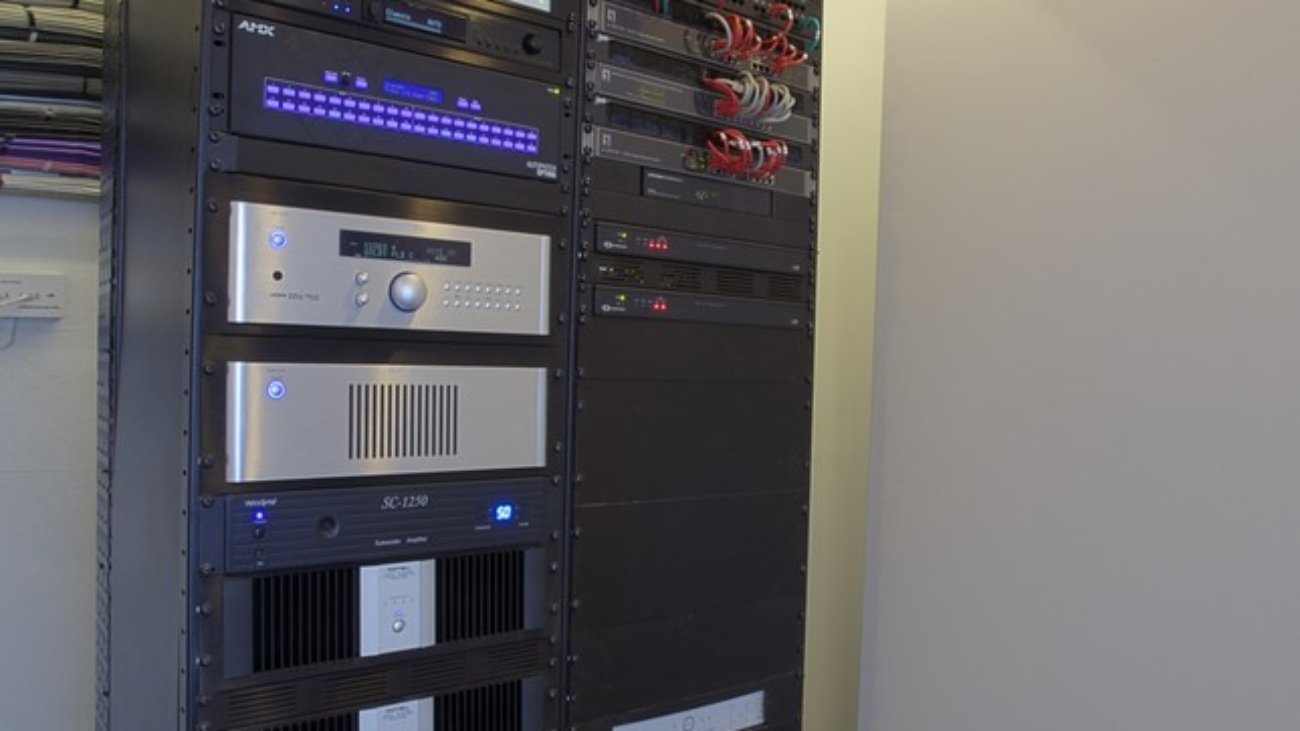
Audio Visual Rack System

Audio Visual Conference Room Systems: What Goes In One

Choosing a local audio-visual integration company for your conference rooms is a strategic decision that offers numerous benefits, particularly in enhancing the overall functionality and experience of your meeting spaces. Here are several reasons why partnering with a local provider is important:

1. Expertise in Local Needs

Local AV companies have a deep understanding of the specific requirements and preferences of businesses in the area. They are familiar with regional trends, industry standards, and the unique challenges that local organizations face, allowing them to tailor solutions that effectively meet those needs.

2. Personalized Service

Working with a local company often means receiving more personalized attention. Local providers typically prioritize building relationships with their clients, leading to better communication and a more collaborative approach to project management. This personal touch ensures that your specific goals and preferences are considered throughout the integration process.

3. Quick Response Times

Local companies can offer faster response times for installation, maintenance, and support. Should any technical issues arise, a nearby provider can quickly address them, minimizing downtime and ensuring your conference rooms remain fully operational.

4. Understanding of Local Venues

Local AV integrators have experience working with the unique characteristics of various venues in your area. They know how to optimize sound and visuals for different room sizes and layouts, ensuring that your AV setup is effective and efficient.

5. Support for Local Economy

By choosing a local company, you contribute to the economic development of your community. Supporting local businesses fosters job growth and helps sustain the local economy, creating a positive impact beyond just your organization.

6. Tailored Training and Support

Local AV companies can provide customized training for your staff, ensuring that they are comfortable and proficient in using the installed equipment. Ongoing local support can also make it easier for your team to seek help and advice as needed.

7. Strong Vendor Relationships

Local integrators often have established relationships with regional equipment vendors and manufacturers. This can lead to better pricing, exclusive deals, and access to the latest technology, ensuring you get the best value for your investment.

In summary, utilizing a local audio-visual integration company for your conference rooms enhances your organization’s operational efficiency, provides tailored solutions, and fosters a strong connection with your community. This approach not only optimizes your meeting spaces but also contributes positively to the local economy.

Please connect with us for your next conference rooms project by clicking here

You can also learn more about Audio Visual technology through AVIXA

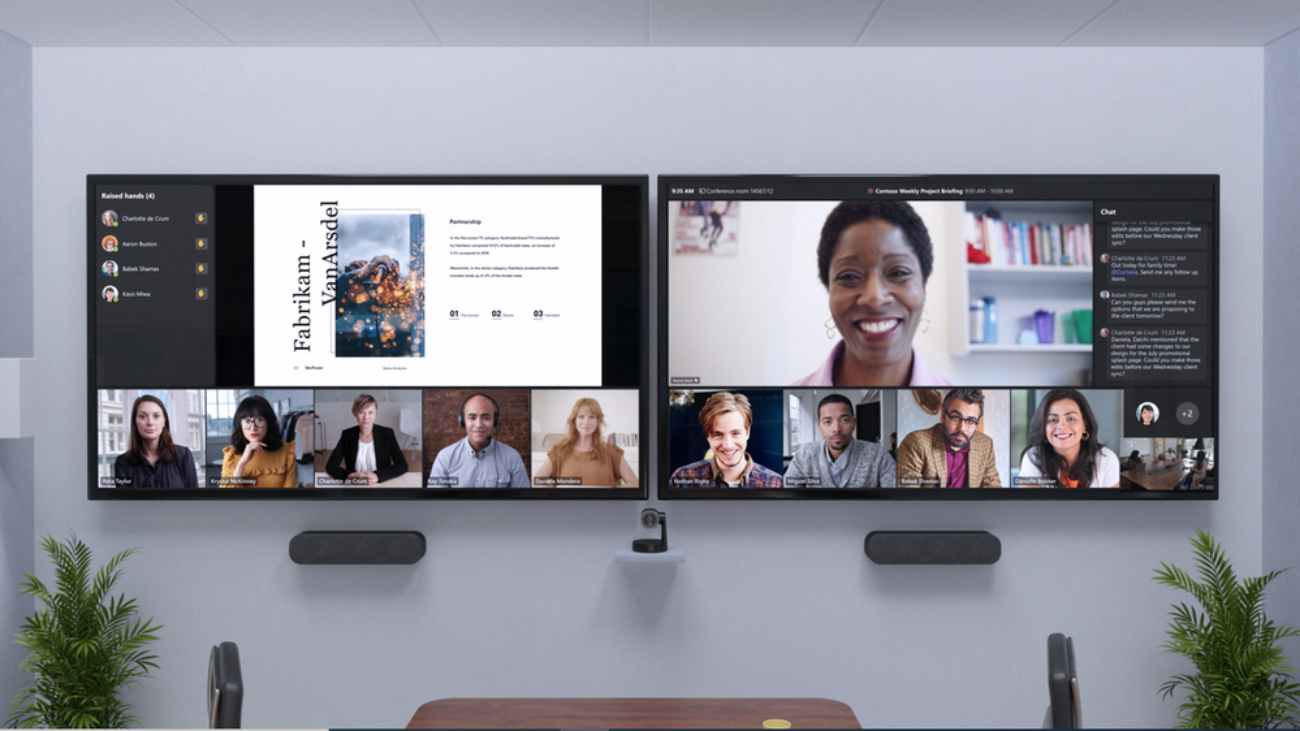
Zenjmedia-Teams rooms

Benefits of Using Microsoft Teams Rooms

Using Microsoft Teams Rooms offers several advantages that enhance collaboration and streamline communication in hybrid work environments:

  1. Seamless Integration: Microsoft Teams Rooms integrates effortlessly with Microsoft 365, allowing users to schedule and join meetings directly from their calendars.
  2. High-Quality Audio and Video: Equipped with advanced audio and video technology, Teams Rooms ensure clear communication and a more immersive meeting experience, reducing issues related to sound and visuals.
  3. Easy-to-Use Interface: The user-friendly interface allows participants to join meetings with a single touch, minimizing technical difficulties and encouraging greater participation.
  4. Flexible Setup: Teams Rooms can be configured for various room sizes and layouts, making them suitable for small huddle spaces to large conference rooms.
  5. Enhanced Collaboration Tools: Features like screen sharing, digital whiteboards, and file sharing facilitate real-time collaboration, improving productivity and engagement among participants.
  6. Accessibility for Remote Participants: Teams Rooms make it easy for remote participants to join meetings, fostering inclusivity and ensuring everyone can contribute regardless of location.
  7. Centralized Management: IT departments can manage and monitor all Teams Rooms from a centralized dashboard, simplifying maintenance and troubleshooting.
  8. Improved Meeting Efficiency: Features like meeting reminders and the ability to join with a single click help keep meetings on track and ensure they start on time.
  9. Security and Compliance: Leveraging Microsoft’s robust security features ensures that data shared during meetings remains protected, complying with organizational policies and regulations.
  10. Scalability: As organizations grow, Microsoft Teams Rooms can scale accordingly, allowing for easy additions of new rooms and features without significant investment in new infrastructure.

These advantages make Microsoft Teams Rooms an effective solution for enhancing communication and collaboration in today’s diverse work environments.

Setting up a Microsoft Teams Room involves several key steps to ensure a seamless meeting experience. Here’s a guide to help you through the process:

1. Choose the Right Hardware

  • Select Devices: Choose compatible hardware such as a Microsoft Teams Room-certified console, camera, microphone, and speakers. Ensure the equipment is suitable for your room size.
  • Display: Use one or more displays to show video feeds and shared content.

2. Prepare the Room

  • Layout: Arrange furniture to create a conducive meeting environment. Ensure all participants can see the screens and hear the audio clearly.
  • Internet Connection: Ensure a stable internet connection, ideally through wired Ethernet for better reliability.

3. Install the Software

  • Windows OS: Install Microsoft Teams Rooms on a dedicated Windows PC or use an all-in-one device that comes pre-installed.
  • Updates: Ensure that all software is up to date to access the latest features and security improvements.

4. Configure Microsoft Teams Rooms

  • Sign In: Use an Office 365 account associated with your organization to sign into the Microsoft Teams Room device.
  • Room Settings: Configure room settings via the Teams admin center, including room name, calendar settings, and other preferences.
  • Device Settings: Adjust audio and video settings as necessary, ensuring optimal performance.

5. Connect Peripheral Devices

  • Audio/Video Equipment: Connect cameras, microphones, and speakers to the main device. Ensure they are properly recognized by the system.
  • Control Device: Set up the Teams Room console to manage the meeting experience, including volume control and camera settings.

6. Test the Setup

  • Run a Test Meeting: Conduct a test meeting to verify audio and video quality, connectivity, and overall functionality.
  • Adjust Settings: Make any necessary adjustments based on feedback during the test meeting.

7. Train Users

  • Provide Training: Offer training sessions to users to familiarize them with scheduling and joining meetings using the Teams Room system.
  • Create Guides: Develop quick reference guides to assist users in troubleshooting common issues.

8. Monitor and Maintain

  • Regular Maintenance: Schedule regular checks and updates for the hardware and software to ensure continued performance.
  • Support: Establish a support plan for users encountering technical issues.

By following these steps, you can successfully set up a Microsoft Teams Room that enhances collaboration and communication in your organization.

Please get in touch with us to discuss your next collaboration room project by clicking here

You can also learn more about the Teams room from the Microsoft site

demo-attachment-2433-DSC09224-56023-original-protected

How to Choose an Audio Visual Vendor for Your Event or Conference

A good audio-visual (AV) setup is crucial for the success of any event, as it significantly enhances communication and engagement. Effective AV technology ensures that messages are conveyed clearly and that all in-person or remote attendees can fully participate in the experience.

First and foremost, high-quality audio is essential. Poor sound can lead to misunderstandings and frustration, making it difficult for attendees to focus on speakers or presentations. Clear audio helps maintain attention and keeps the audience engaged, fostering a productive atmosphere.

Visual elements also play a key role. Well-placed screens and projectors ensure everyone can see presentations, videos, or live demonstrations. This accessibility is vital for conveying information effectively, especially in larger venues where visibility can be an issue.

Moreover, a well-designed AV setup can enhance the overall ambiance of an event. Thoughtful lighting and visual effects can create an immersive environment that captivates attendees, making the event more memorable. 

Finally, having reliable technical support on-site can prevent disruptions. Quick troubleshooting and adjustments during the event ensure that everything runs smoothly, allowing organizers to focus on their agenda without worrying about technical issues.

In summary, a good audio-visual setup is not just a technical necessity; it is a vital component that enhances communication, engagement, and overall event experience, ultimately contributing to the event’s success.

Selecting the best audio-visual (AV) company for your event or project can significantly impact its success. Here are key factors to consider:

Experience and Expertise: Look for a company with a proven track record in your specific type of event, whether it’s a corporate conference, wedding, or concert. Check their portfolio to assess the quality of their past work.

Reputation and Reviews: Research client testimonials and online reviews. A reputable company should have positive feedback and case studies that demonstrate their reliability and professionalism.

Services Offered: Ensure the company provides a comprehensive range of services, including equipment rental, installation, on-site technical support, and post-event services. This flexibility can save you time and hassle.

Technical Capabilities: Evaluate the quality of their equipment and technology. A good AV company should have access to the latest technology and be able to offer innovative solutions tailored to your needs.

Customization and Collaboration: Choose a company that listens to your vision and can customize its services accordingly. Strong communication and collaboration are essential for a successful partnership.

Budget Considerations: Request detailed quotes from multiple companies. Compare what’s included in each proposal, keeping in mind that the cheapest option may not always provide the best value.

Support and Availability: Assess the level of customer support they offer. A reliable AV company should be accessible and responsive, especially as your event date approaches.

By carefully considering these factors, you can select an AV company that will help create a seamless and memorable experience for your audience.


Please connect with us on how we can assist you on your next event by clicking here


You can also read this conference management and events planning free book from here